


Baby Games: 2+ kids, toddlers
4.715.96K Reviews
App Specs
- Version
- 4.01.17
- Updated On
- License
- Free
- Downloads
- 5,000,000+
- Developer
- Bebi Family: Educational Games for Kids
- Categories
- Educational
- Platform
- Android
Screenshots
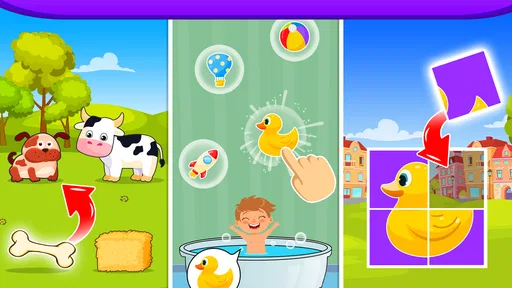
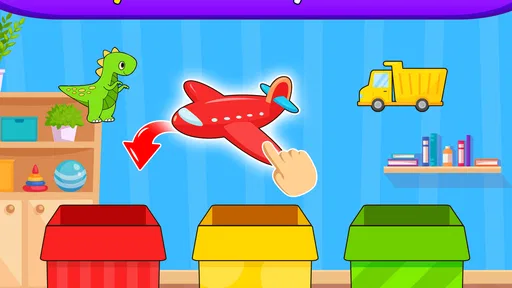
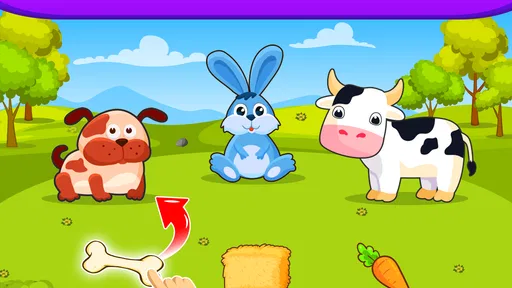
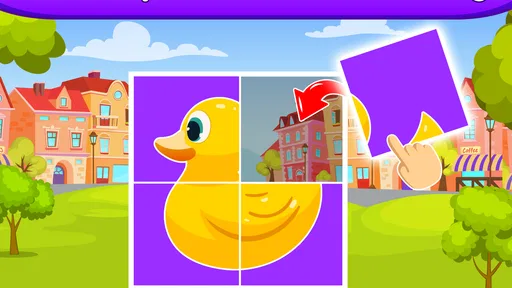
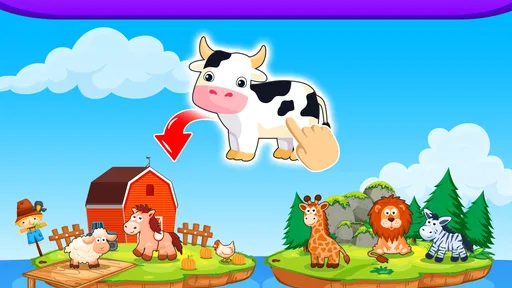
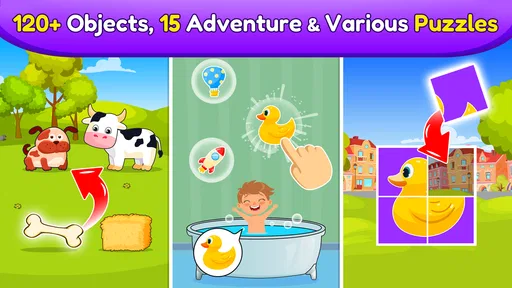
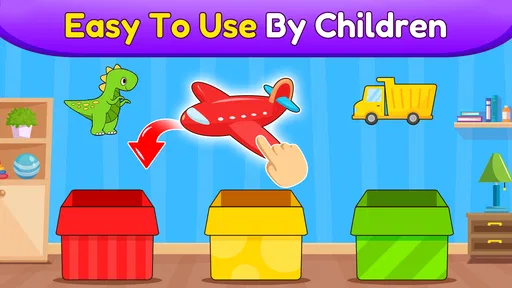
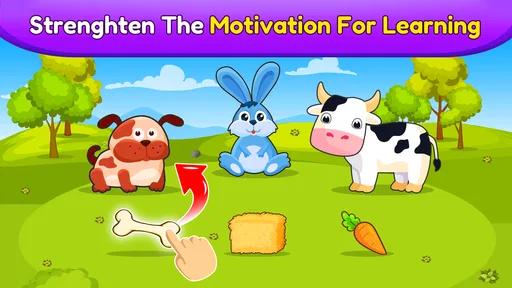
 Analysis by AppCompare
Ever been in that situation where you need to keep a toddler entertained, but you’re out of ideas and toys? Well, I’ve been there too, and that’s why I was thrilled to discover Baby Games: 2+ kids, toddlers. This app is like a magical toolbox for parents, packed with fun and educational games that will keep your little ones engaged. Let’s dive into what makes this app a hit.
That first impression matters most when a young child is holding the device: there is little patience for a complicated menu or a long explanation. I found the colorful activity choices approachable, and the range gives a parent a few different ways to respond to a child’s mood. A toddler who wants to tap and listen may gravitate toward sound, while one who is ready to focus can try matching or counting. I would still stay nearby, especially at first, not because the activities are hard to find but because children this young often need help switching tasks or handing the device back.
What’s Inside the App?
First off, the app is super easy to navigate. Even if you’re not tech-savvy, you’ll find your way around without a hitch. The main menu greets you with colorful icons representing different games and activities. From puzzles to musical games, there’s a variety to choose from, and trust me, your toddler won’t get bored easily.
The choice of activities also creates a useful little routine. I’d let a child pick one game, play it for a short stretch, and then ask them to choose what comes next rather than leaving the app open as an endless stream of tapping. That turns the menu into a simple way to practise making choices, while giving an adult a natural moment to guide the session. It works particularly well when you need a brief distraction at home, during a wait, or while a meal is being prepared; it is less suited to replacing outdoor play, shared books, or sleep-time wind-down.
Engaging and Educational Content
The games are designed to be both fun and educational. I particularly loved the animal matching game. It’s a simple concept—match the animal with its corresponding sound—but it’s executed so well. My favorite part? The little cheer and confetti when your kid gets it right! It’s those small touches that make learning feel like a celebration.
That cheerful response is satisfying, but I wouldn’t treat a correct tap as proof that a child has mastered the idea. A more useful way to play is to pause and ask the child to name the animal, imitate its sound, or point to something similar in a picture book. The game can prompt a conversation, while an adult supplies the back-and-forth that a screen cannot. If the child is guessing rapidly, slow the pace by asking them to look and listen before choosing; if they are already confident, let them explain their choice instead of simply repeating the same round.
Another standout feature is the number recognition game. It's perfect for introducing numbers in a playful manner. The app uses bright colors and cute characters, making counting an enjoyable experience. Don’t be surprised if your kid starts counting everything in sight!
Worth Reading Before You Choose

EA SPORTS FC Mobile 26 Is a Bigger Football Game, but It Takes Time

Flipboard Shows What News Apps Must Do Beyond the Feed

Switching to Android Auto Means Rethinking Your Driving Routine

Google Calendar Makes a Crowded Week Easier to Manage

Ludo King Makes the Most of the Minutes Between Plans

Baby Panda World Brings Quick Play to Modern Phones, but Its Game Library Feels Busy
For number play, I’d connect what appears on screen to ordinary objects nearby: count a few blocks, snacks, or steps together, then return to the activity. This helps keep the game from becoming an isolated exercise in tapping bright shapes. Children develop at different speeds, so there is no need to turn it into a test or insist on finishing an activity. If a toddler loses interest, a short break is likely more useful than trying to push through just to reach another screen.
Musical Adventures
Music is a big part of Baby Games: 2+ kids, toddlers, and it’s no secret that kids love to make noise. The music section allows your child to explore different instruments and sounds. Whether it’s banging on a virtual drum or strumming a mini guitar, the app makes music interactive and delightful.
I see the music activities as a different kind of play from the matching and number games: they invite experimentation rather than a single obvious answer. That can be handy when a child is restless or not in the mood to concentrate. To make the sounds more interactive, I’d take turns copying a rhythm or asking the child to choose a sound for a pretend story. The trade-off is that musical tapping can become noisy and repetitive, so it may not be the best choice in a quiet waiting room or when someone nearby needs rest.
What’s really cool is the inclusion of nursery rhymes. Kids can follow along with classic tunes, and it’s a great way for them to learn words and rhythm. Plus, those catchy songs might just get stuck in your head too!
Songs can be a natural bridge between screen time and an offline activity: sing along once, then try the same tune together without the device. I would not rely on the app as a substitute for singing with a child, though. The most useful part is often the shared moment—copying a phrase, clapping a beat, or laughing when an adult gets a rhythm wrong—not simply having music play in the background. If your child wants the same song again and again, that repetition can be enjoyable, but it is also a good point to set a clear stopping cue.
Safe and Kid-Friendly
As a parent, safety is my top priority, and this app doesn’t disappoint. There are no annoying ads popping up, which means no accidental clicks leading to unexpected purchases. The app is designed specifically for toddlers, so it’s simple enough for them to use independently while you keep an eye from afar.
The ad-free experience is a real convenience for a young child, since an interruption or an unexpected detour can be confusing. Still, I wouldn’t equate that with leaving a toddler entirely unsupervised. A child may move between activities, keep playing longer than intended, or become frustrated when it is time to stop. I’d set expectations before handing over the device and keep it within reach, particularly during the first sessions, so that the adult remains in charge of when play begins and ends.
Another relief is the absence of any in-app purchases. You get a complete package with your initial download, allowing peace of mind that your child won’t accidentally buy anything while playing.
One practical point for families deciding whether to install it is that the game is free to start, but it does offer in-app purchases priced from $5.99 to $49.99 per item. That makes it worth checking the purchase settings on the device before handing it to a toddler. I would not assume the free download means every available item is included. If you are choosing it specifically to avoid spending, review the purchase controls first and decide whether the activities available to you are enough for your child.
Visuals and Sound
The visuals are vibrant and appealing, perfect for capturing a toddler’s attention. The characters are adorable, and the animations are smooth, making the experience enjoyable for kids. The sound quality is excellent, with clear audio and catchy tunes that will have your little one dancing and singing along in no time.
That sensory appeal is a strength, but it also means the app is not automatically the right pick for every moment. Bright images and lively sounds may be stimulating when a child is already tired or wound up. I’d use quieter alternatives, such as a story or a calm shared activity, when the goal is to settle down rather than energize. Headphones are not a must for using the game, and for very young children I prefer keeping the sound at a comfortable level and listening alongside them rather than letting the device become background noise.
It is also useful to remember that a small screen changes how a child interacts with an activity. A toddler may tap quickly, miss a prompt, or hold the device at an awkward angle. I’d place it on a stable surface for a puzzle or matching activity instead of expecting careful play while the child is walking around. That small adjustment can reduce frustration and make it easier for a parent to point things out together.
Who It Suits, and When I’d Choose Something Else
The game is aimed at toddlers, and its content is rated Everyone. It is made by Bebi Family: Educational Games for Kids, a developer focused on children’s learning games. The current version is 4.01.03 and it runs on Android 6.0 or later. Those details make it a practical option for families with a compatible Android device, though I’d still check that the device is one you are comfortable letting a small child handle.
In the usual mix of children’s learning apps, this one sits closer to a collection of short, colorful activities than to a single structured course. Compared with a workbook-style app, it offers more sound and visual play; compared with an open-ended drawing app, it gives a child clearer prompts and responses. That variety is helpful when you want to switch between simple tasks, but it may not satisfy a parent looking for a carefully staged lesson plan, progress reports, or a game built around one subject in depth.
I’d recommend trying it with a child who enjoys tapping, listening, matching, and exploring at their own pace. It is less ideal for a family that wants an entirely offline activity, a quiet bedtime option, or a screen experience with a strong adult-led curriculum. Likewise, if your child becomes upset when a game ends, the app itself will not solve that transition; a timer or a clear “one more activity, then we stop” routine can help, but the parent needs to lead it.
Why You’ll Love It
Overall, Baby Games: 2+ kids, toddlers is a fantastic resource for any parent. It’s like having a virtual babysitter that entertains and educates at the same time. The app is thoughtfully designed, ensuring that each game has a learning component while still being loads of fun.
Its scale is reassuring for a first try: the game is free to download, has an average rating of 4.7 from around 103,000 ratings, and has been installed over 5 million times. Those figures suggest that many families have given it a chance, but they cannot tell me whether a particular toddler will enjoy the same activities or how long they will stay engaged. I’d judge it by a short, supervised session rather than by popularity alone.
There is no need to make a toddler work through every activity in one sitting. A better approach is to follow their attention: choose matching when they are curious, switch to music when they need a change, and stop while the session is still going well. That makes the app easier to fit into a family routine and avoids treating its assortment of games as a checklist. A quick shared session can be more worthwhile than a long stretch of solitary screen use.
If you’re looking for an app that can keep your toddler occupied with wholesome, educational content, this one’s a winner. Give it a try, and watch as your little one explores new skills and interests. Trust me, you’ll appreciate the peace and quiet while your child is blissfully entertained.
My final take is that it works best as a parent’s convenient set of short play prompts, not as a replacement for interaction or a guaranteed way to occupy a child for a long time. The animal sounds, number activity, instruments, and rhymes give you several ways to meet a toddler where they are that day. If you keep sessions brief, join in when it helps, and manage purchase settings in advance, it can be a pleasant addition to a small child’s app rotation. If you need a quiet, fully structured learning program, I’d look elsewhere; for flexible early play on a compatible Android device, I’d be comfortable giving it a try.
Pros
- Engaging
- colorful graphics enhance learning.
- Simple
- intuitive interface for toddlers.
- Wide variety of educational mini-games.
- No in-app purchases
- safe for kids.
- Encourages cognitive development and motor skills.
Cons
- Limited content may bore older kids.
- Requires internet for some features.
- Ads can interrupt gameplay occasionally.
- Some games may be too repetitive.
- Audio can be overwhelming for parents.
FAQs for Baby Games: 2+ kids, toddlers
What age group is Baby Games: 2+ kids, toddlers suitable for?
Baby Games: 2+ kids, toddlers is designed specifically for children aged two years and older. The app features age-appropriate games and activities that help enhance cognitive development, hand-eye coordination, and basic motor skills. Parents can be assured that the content is tailored to engage young minds in a safe and educational manner.
Are there any in-app purchases or ads in Baby Games: 2+ kids, toddlers?
The app offers a range of free games and activities, but there may be optional in-app purchases for additional content or features. It’s important for parents to check the app settings to ensure any purchases are password-protected. Some versions of the app may also include ads, which can be removed with a purchase.
What educational benefits does Baby Games: 2+ kids, toddlers provide?
Baby Games: 2+ kids, toddlers is designed to support early childhood development. The app includes games that improve problem-solving skills, color and shape recognition, counting, and memory. By engaging in these activities, children can develop foundational skills that will be beneficial as they begin formal education.
Is Baby Games: 2+ kids, toddlers available on both Android and iOS?
Yes, Baby Games: 2+ kids, toddlers is available for download on both Android and iOS platforms. Users can find it on the Google Play Store for Android devices and the Apple App Store for iOS devices. This ensures that the app can be enjoyed by a wide range of users regardless of their device preference.
How can I ensure my child’s safety while using Baby Games: 2+ kids, toddlers?
To ensure your child's safety, it's recommended to supervise their app usage and set up parental controls if available. The app is designed to be child-friendly, but it’s always a good practice to monitor screen time and ensure the content aligns with your educational and entertainment goals for your child.


